XPath Syntax expansion
Description
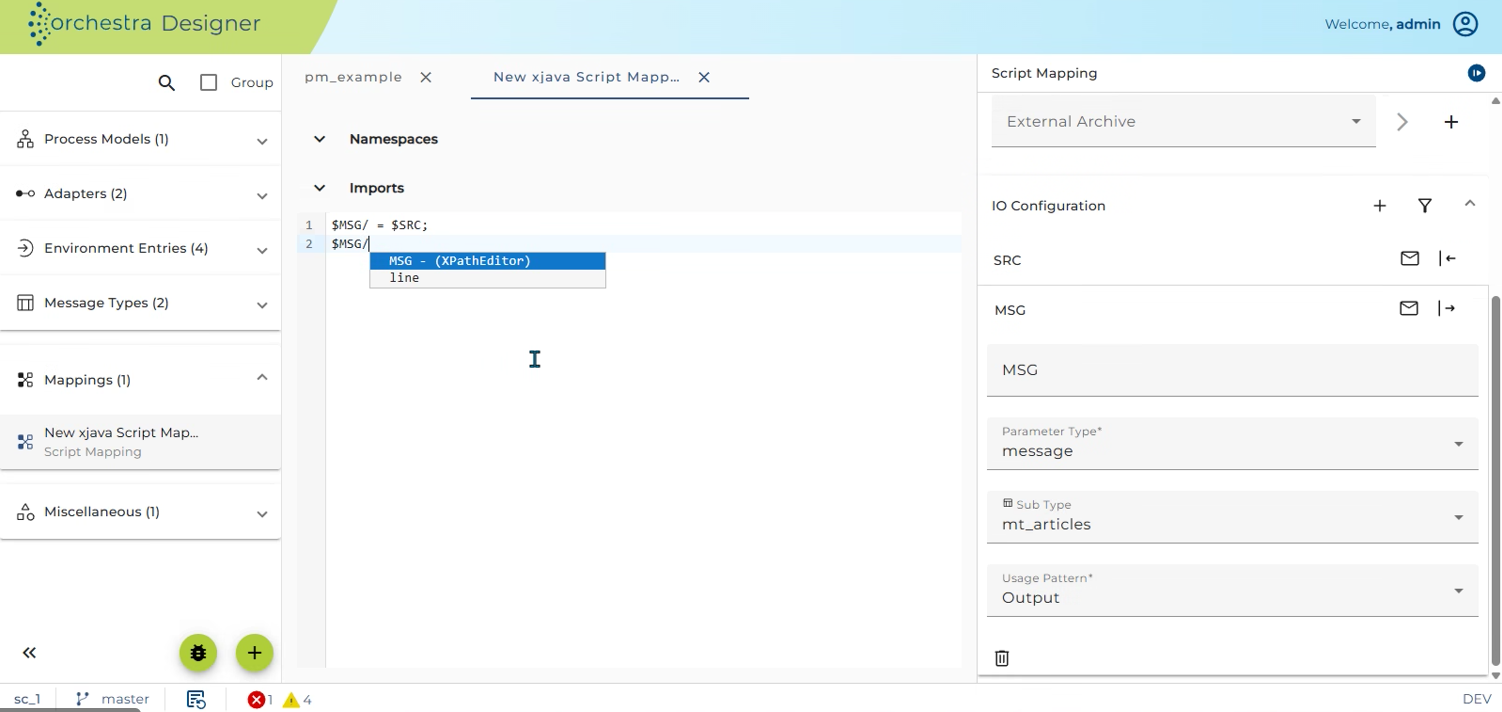
Within the extend java mapping automatic syntax expansion for XPath expressions is possible. Whenever the user types an XPath expression, Orchestra opens a small syntax expansion window that contains possible choices in order to extend the current path fragment by new location steps. The syntax expansion dialog can be invoked using Ctrl + Spacebar and looks like this:
-5bdfbd07dd6790380bb9a882b7805603.png)
-434f257f7df75cbab15afd7678117d8f.png)
Depending on the existing fragment ( $MSG/block/ ) Orchestra automatically offers possible recommendations that can be used to continue the current XPath-Fragment. If no one of the given choices fits to the customer needs the user can open an XPath Editor dialog that helps defining an XPath expression graphically.
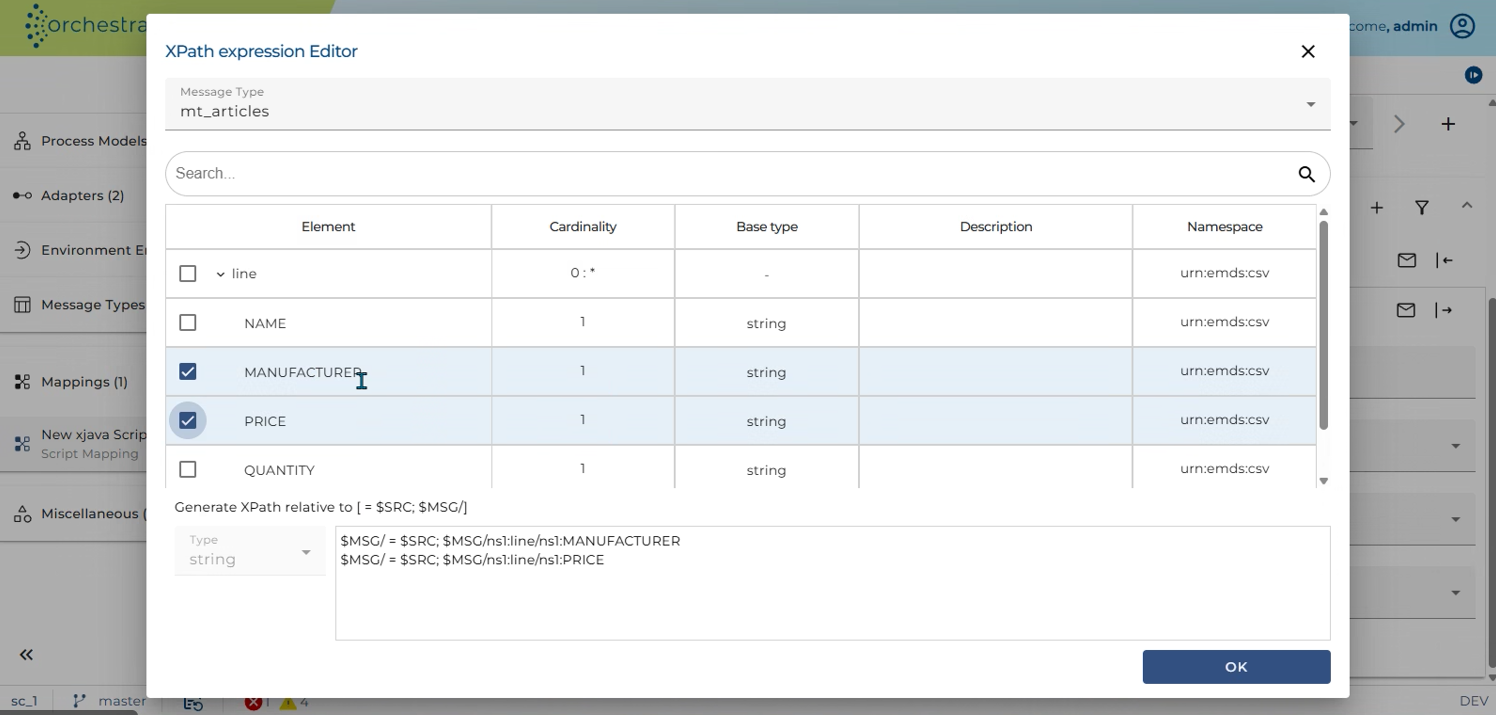
Within the XPath Dialog the data type of the underlying message is shown as a tree structure. Whenever the user selects a node within the tree a XPath expression is created that can be used to navigate from the XPath fragment to the selected node.
:::warning Within the XPath-Dialog multi select is supported. If the user selects a set of nodes simultaneously, XPath expressions for all the selected nodes are created. :::